Platform
 W&B Models
 W&B Weave
 W&B Inference
 W&B Training
 Release Notes
Share a report
When viewing a report, click Share, then:- To share a link to the report with an email address or a username, click Invite. Enter an email address or username, select Can view or Can edit, then click Invite. If you share by email, the email address does not need to be a member of your organization or team.
- To generate a sharing link instead, click Share. Adjust the permissions for the link, then click Copy report link. Share the link with the member.
Edit a report
When any team member clicks the Edit button to begin editing the report, a draft is automatically saved. Select Save to report to publish your changes. If an edit conflict occurs, such as when two team members edit the report at once, a warning notification helps you to resolve any conflicts.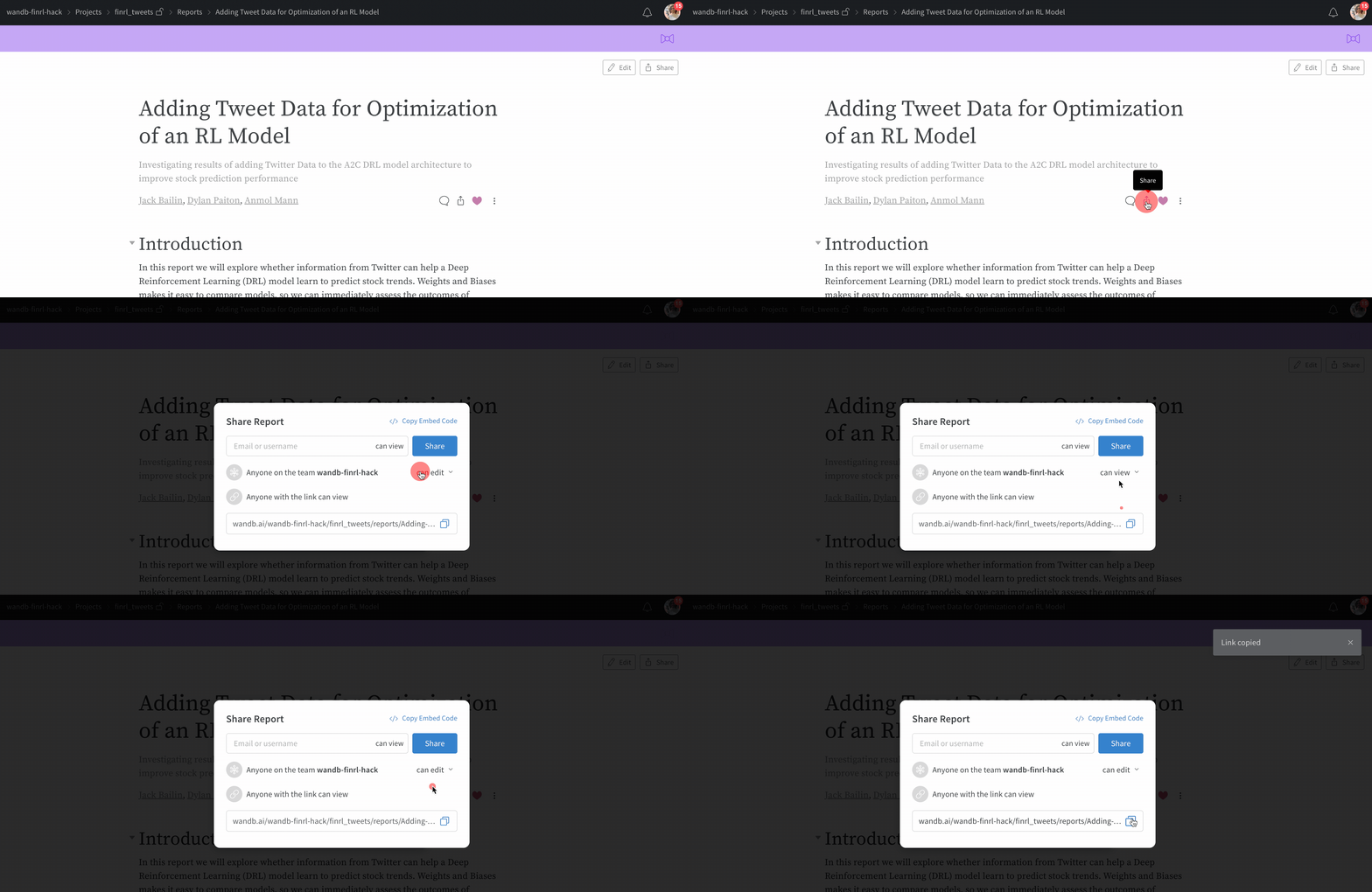
Comment on reports
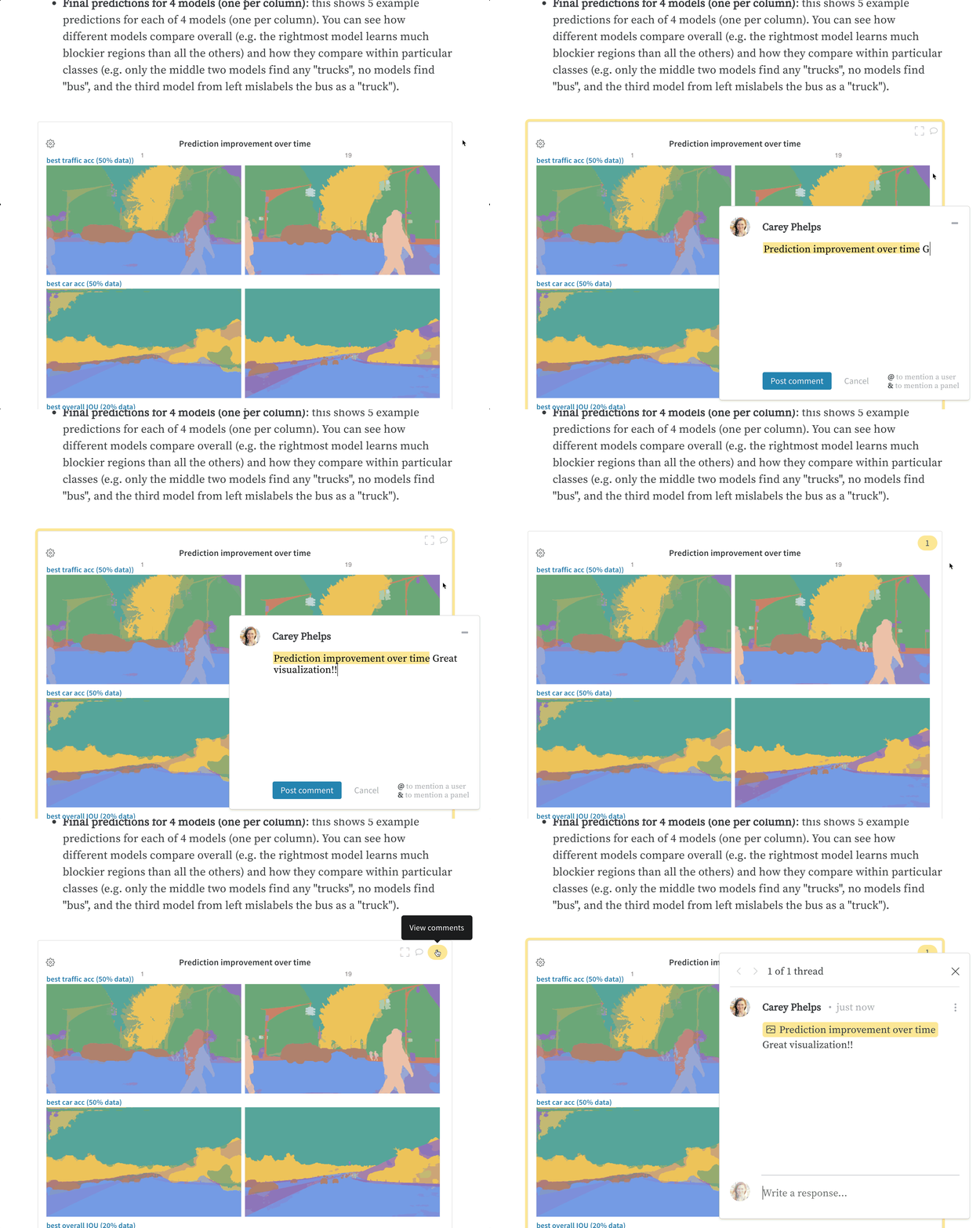
Click Comment to leave a comment on a report. To comment directly on a panel, hover over the panel, then click the comment button, which looks like a speech bubble.