Platform
 W&B Models
 W&B Weave
 W&B Inference
 W&B Training
 Release Notes
Notes: Add a visualization with a quick summary
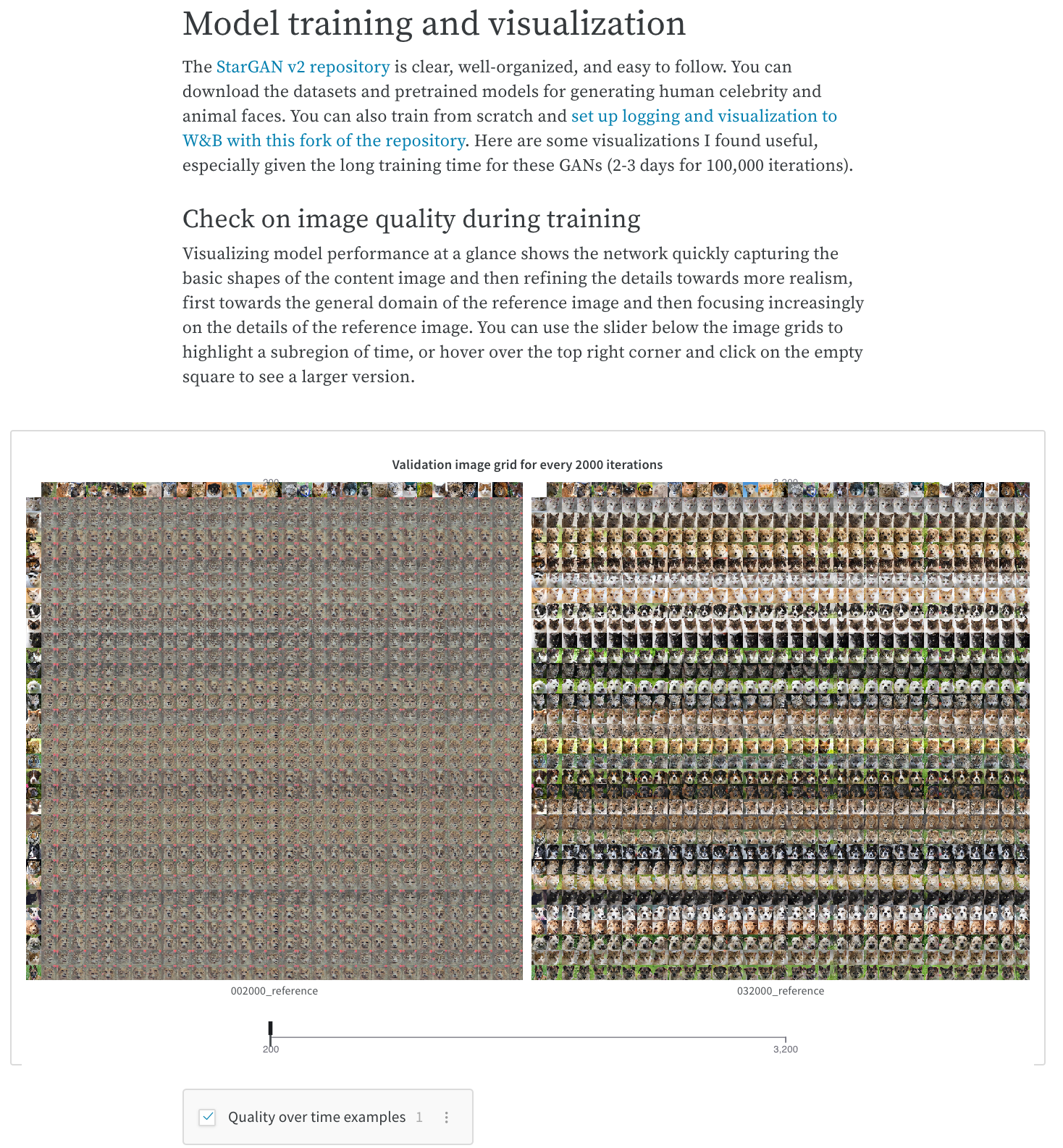
Capture an important observation, an idea for future work, or a milestone reached in the development of a project. All experiment runs in your report will link to their parameters, metrics, logs, and code, so you can save the full context of your work. Jot down some text and pull in relevant charts to illustrate your insight. See the What To Do When Inception-ResNet-V2 Is Too Slow W&B Report for an example of how you can share comparisons of training time.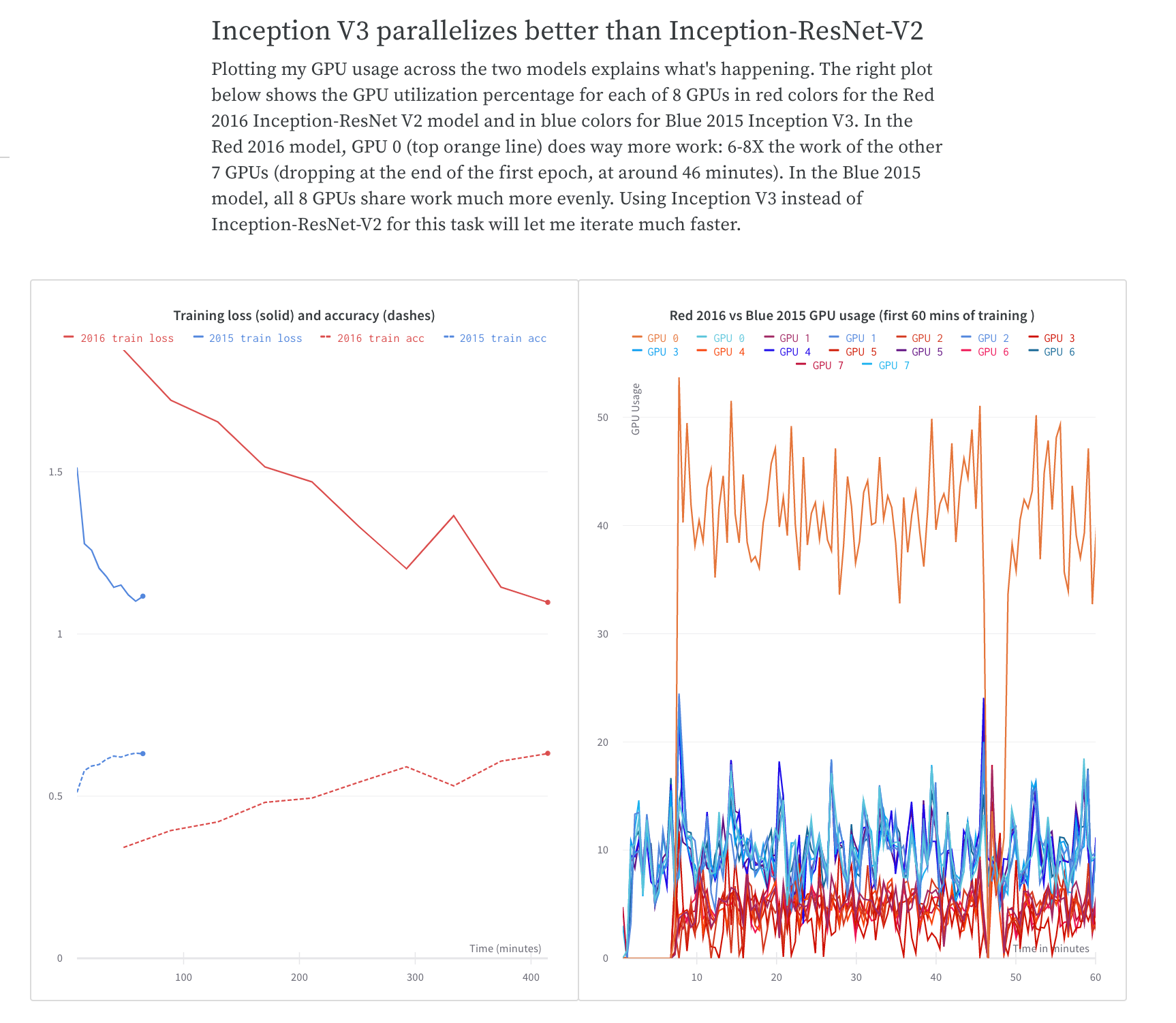
Collaboration: Share findings with your colleagues
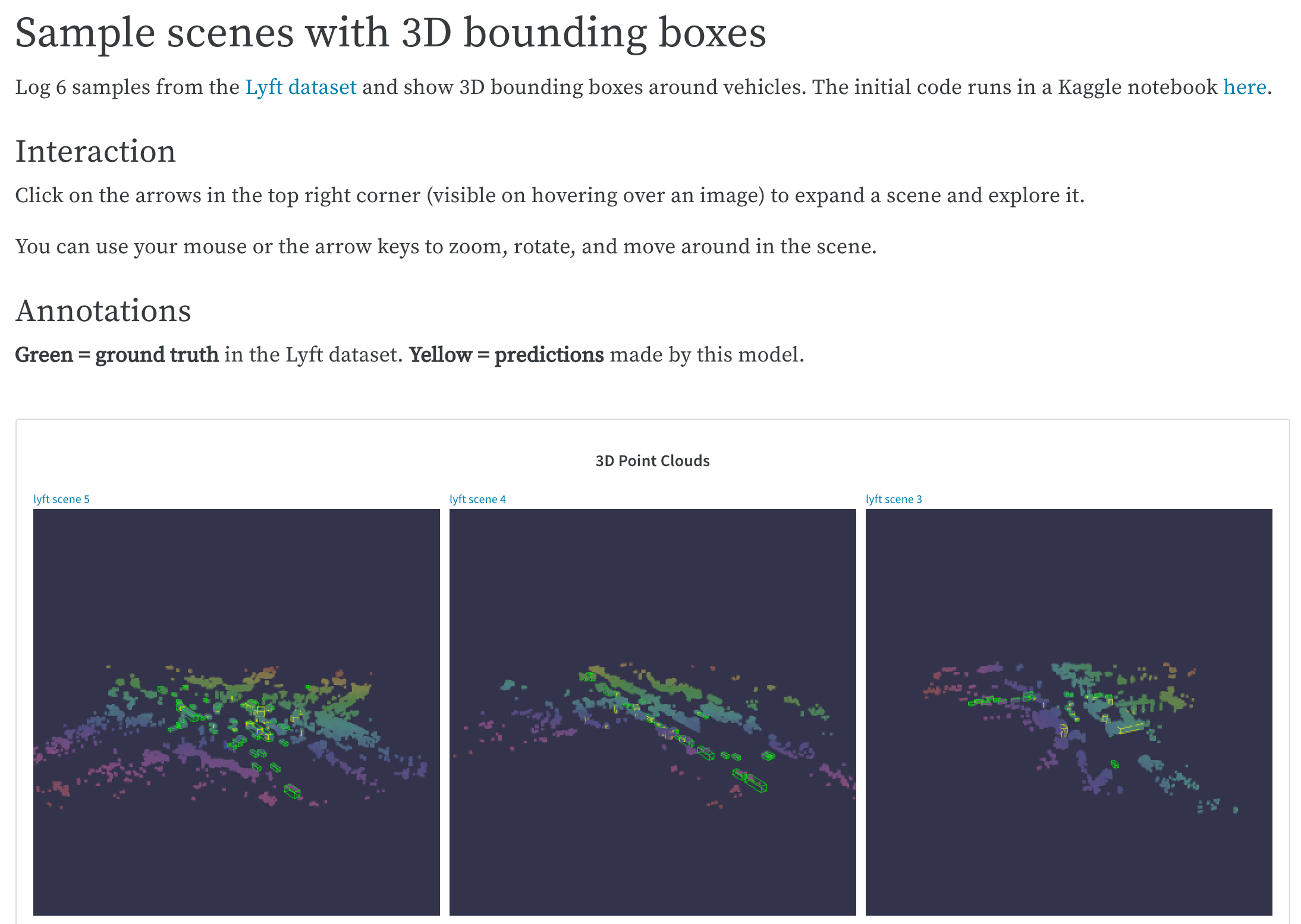
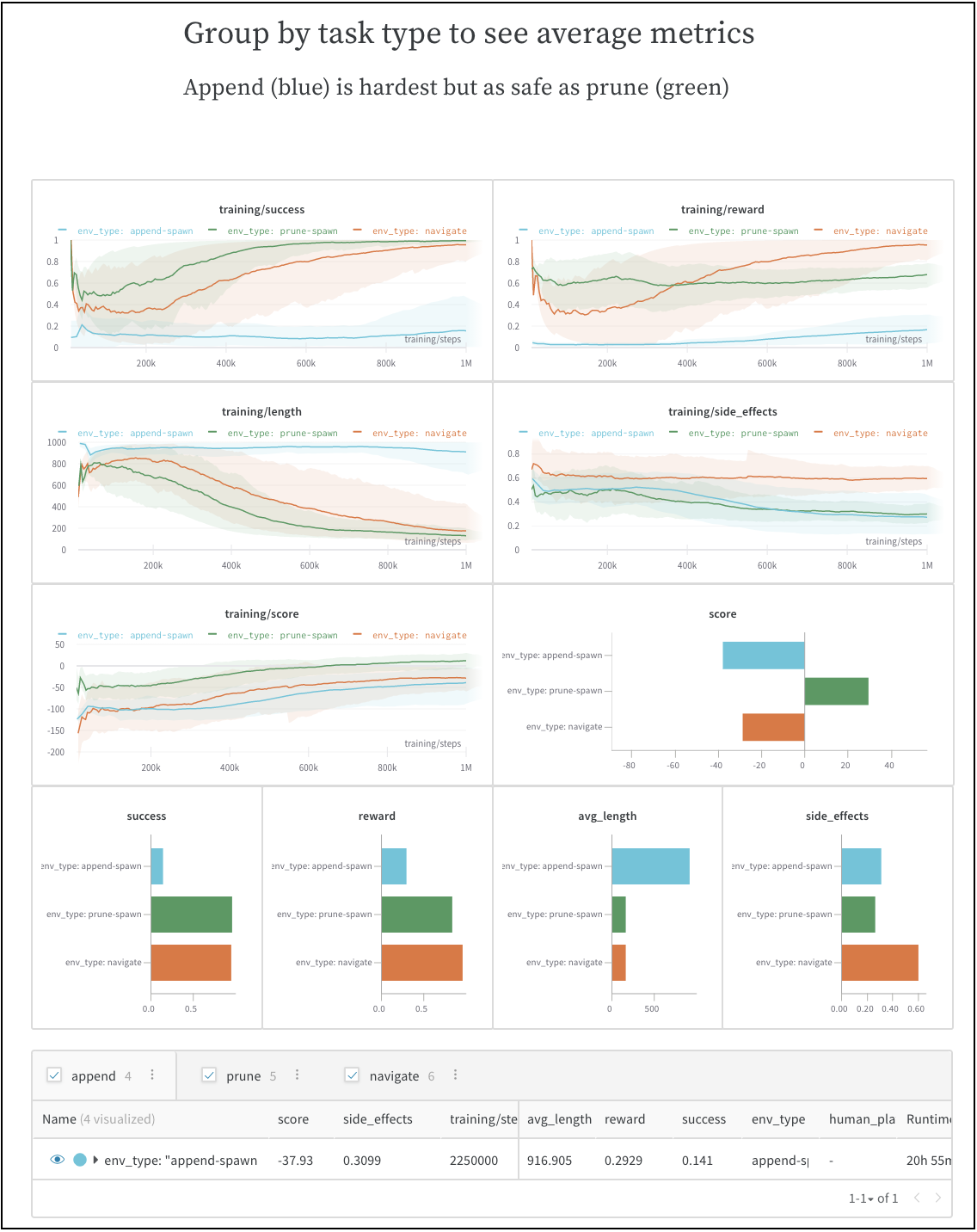
Explain how to get started with a project, share what you’ve observed so far, and synthesize the latest findings. Your colleagues can make suggestions or discuss details using comments on any panel or at the end of the report. Include dynamic settings so that your colleagues can explore for themselves, get additional insights, and better plan their next steps. In this example, three types of experiments can be visualized independently, compared, or averaged. See the SafeLife benchmark experiments W&B Report for an example of how to share first runs and observations of a benchmark.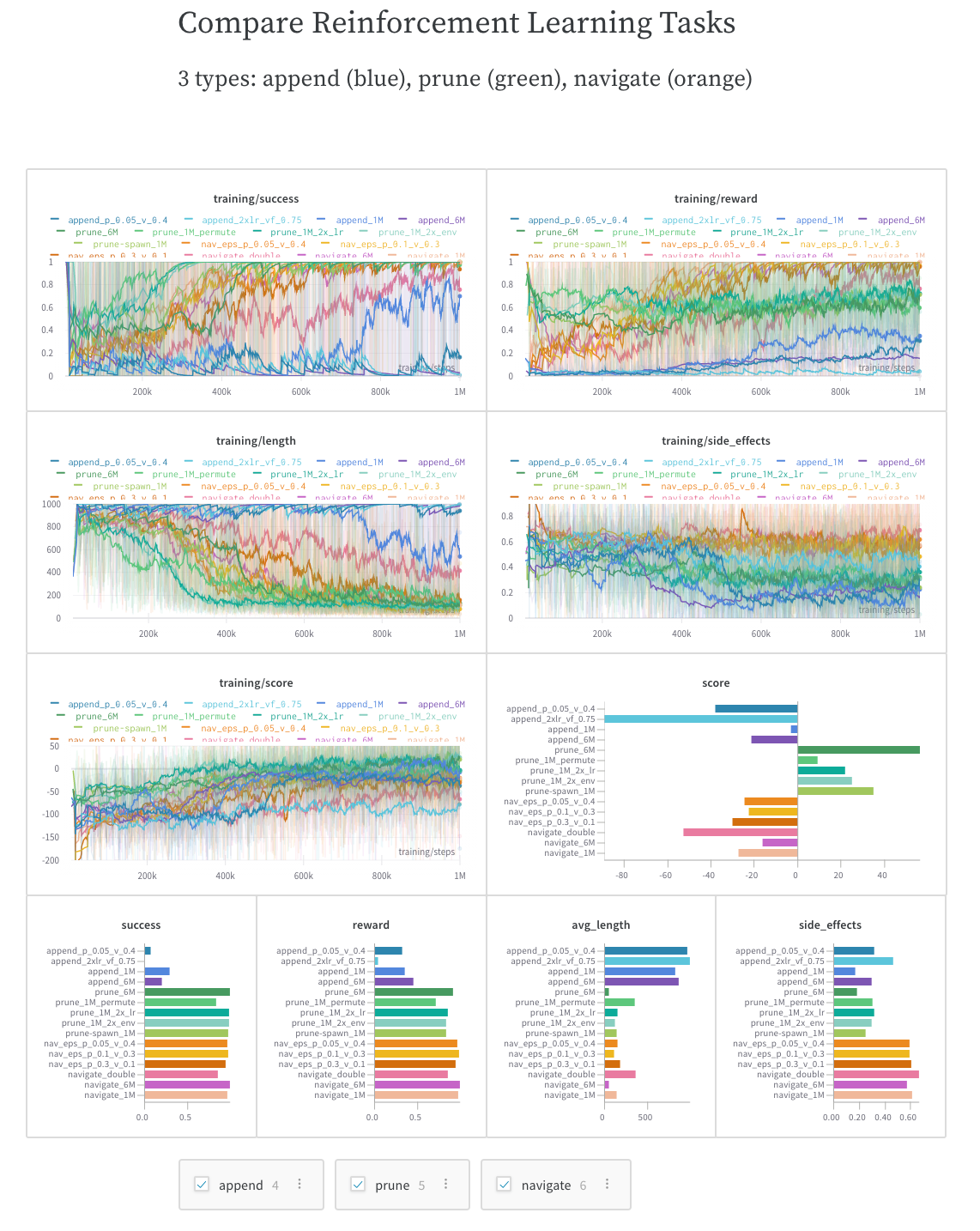
Work log: Track what you’ve tried and plan next steps
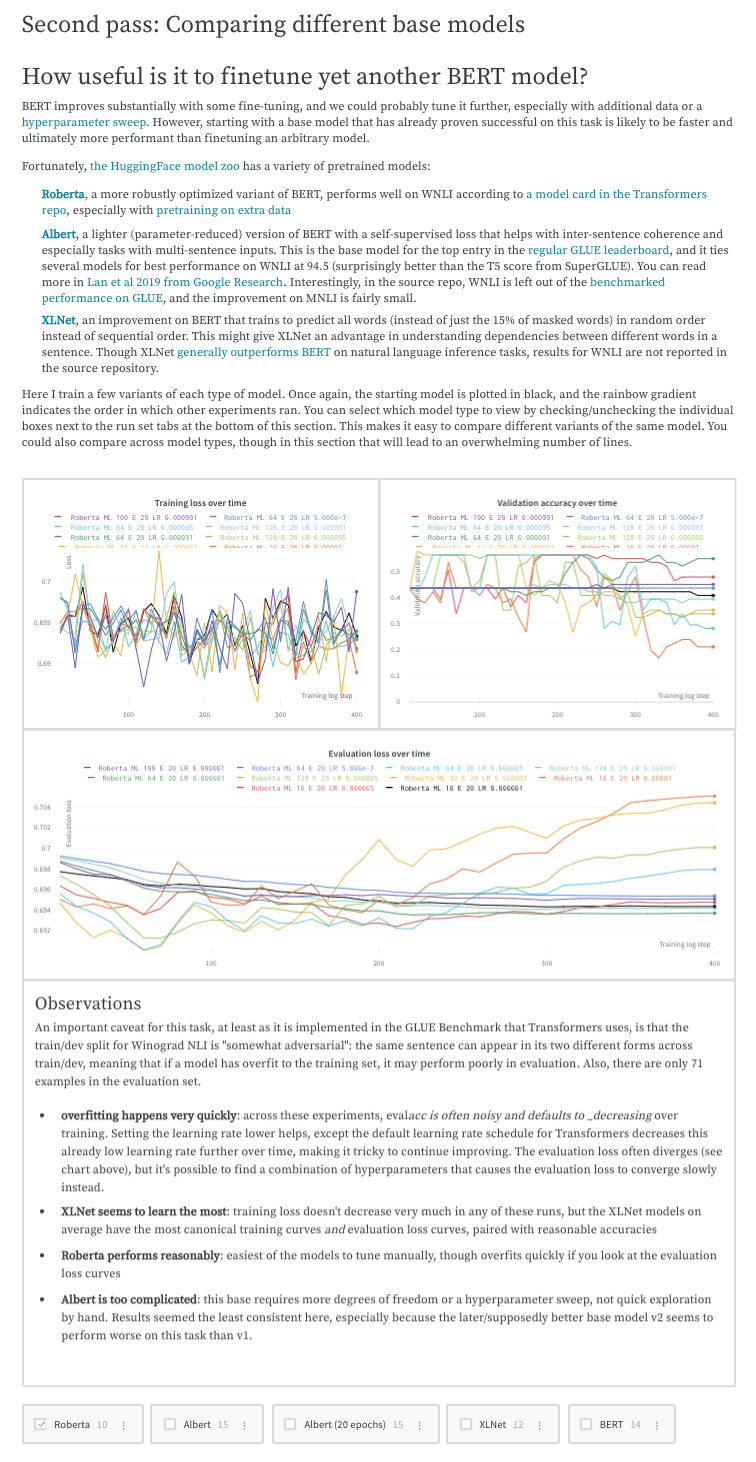
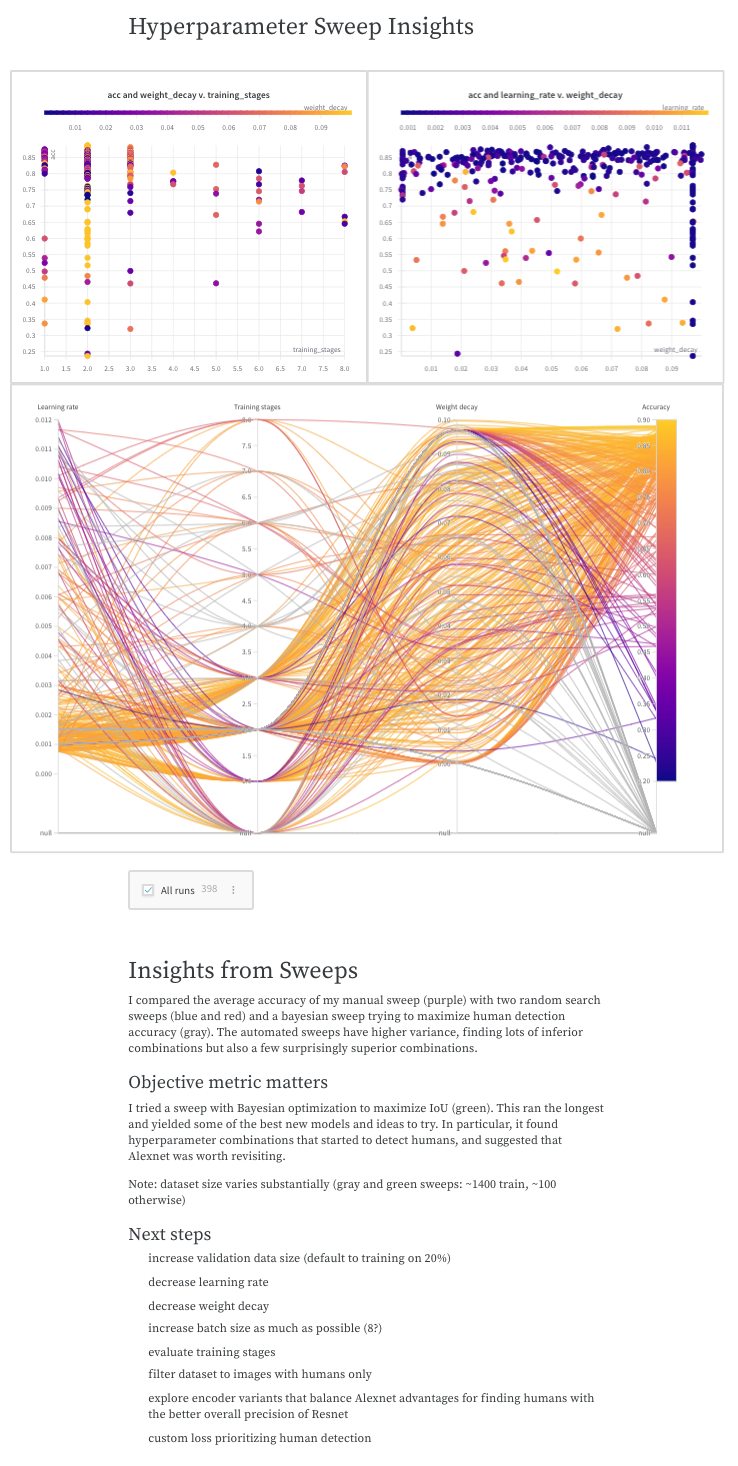
Write down your thoughts on experiments, your findings, and any gotchas and next steps as you work through a project, keeping everything organized in one place. This lets you “document” all the important pieces beyond your scripts. See the Who Is Them? Text Disambiguation With Transformers W&B Report for an example of how you can report your findings.